What Does Legal Software Compliance Actually Mean?
Legal software compliance means using software that follows the rules and requirements that apply to a law firm, its clients, and the information it handles. These rules may cover data privacy, security, billing, document storage, record-keeping, and access to private information.
For example, a law firm may use software to store client documents, manage case details, track working hours, and prepare invoices. The software should help the firm protect these records, follow the required rules, and keep information accurate. But buying compliant software does not automatically make the entire firm compliant. Employees must also use it correctly and follow the right procedures.
Why Legal Software Compliance is Important
Law firms handle sensitive information, including client names, contracts, financial records, case documents, and private communications. If this information is stored, shared, or handled incorrectly, it may reach unauthorized people or cause problems with client requirements.
Compliance helps law firms reduce these risks and keep reliable records. It also helps them meet their agreements with clients, protect private information, and avoid billing or reporting errors.
The American Bar Association (ABA) shows the importance of protecting client information when lawyers use cloud-based services. It also explains why lawyers should understand how software providers handle information before trusting them with private client records.
What Areas Does Legal Software Compliance Cover?
Legal software compliance covers several areas. The exact requirements depend on the firm's location, the type of information it handles, and the services it provides.
1. Data Privacy and Confidentiality
Law firms must handle client information carefully and follow the privacy rules that apply to their work. Their software should help control who can view, share, edit, or download private records. For example, not every employee needs access to every client's files. A law firm should allow employees to access only the information they need for their work.
2. Data Security
Legal software should include suitable security features to protect information from unauthorized access, loss, or theft. Depending on the service, these features may include encryption, multi-factor authentication, secure backups, and access controls.
The National Institute of Standards and Technology (NIST) recommend controlling access to information, protecting sensitive data, keeping backups, and monitoring system activity as part of cybersecurity risk management. These features help protect client records. However, employees must also use strong passwords, set access permissions correctly, and follow security procedures.
3. Legal Billing and Invoice Accuracy
Billing software must support the rules that apply to a law firm's billing process. Clients may set requirements for hourly rates, expenses, task codes, invoice formats, and submission deadlines.
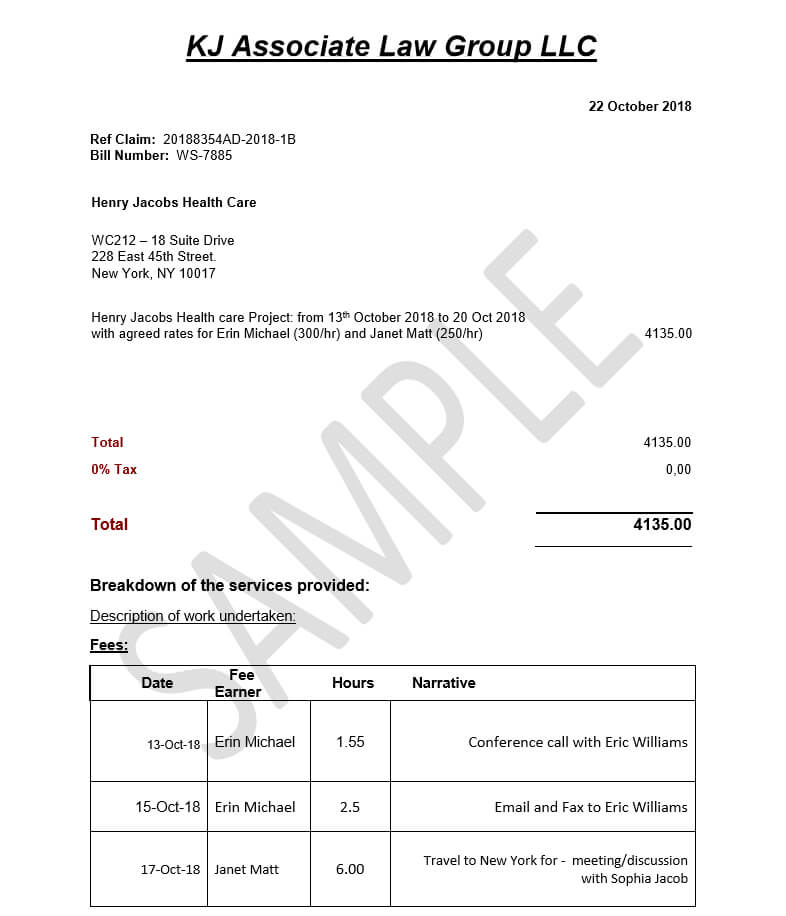
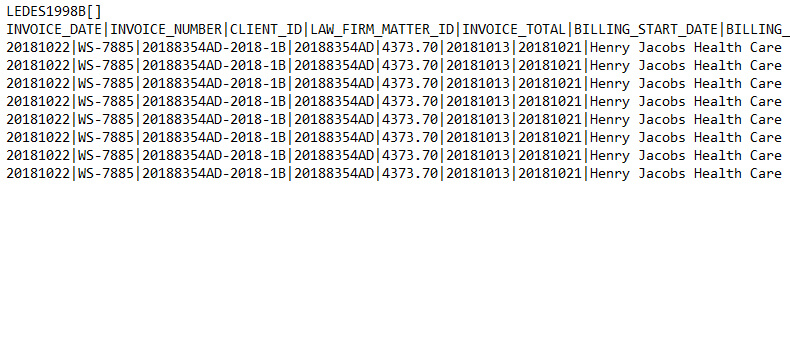
For example, a corporate client may require a law firm to use specific UTBMS task codes and agreed hourly rates. An e-billing system can check invoice entries against these rules and flag charges that may need correction. The software helps identify possible errors, but billing staff must still review unusual entries and confirm that each charge matches the work performed.
4. Record Keeping and Audit Trails
Law firms need reliable records of important activities, such as document changes, invoice approvals, and access to private information. Depending on their obligations, they may also need to keep certain records for a set period. Some software includes audit trails, which record actions taken within the system. For example, an audit trail may show who changed a document, when an invoice was approved, or when someone accessed a file.
These records help law firms investigate mistakes, review past actions, and understand how a decision was made. Firms should also follow the record-keeping rules that apply to their work. This includes keeping records for the required period and disposing of them securely when they are no longer needed and no longer subject to retention requirements.
5. Document Management and Electronic Signatures
Legal teams often use software to prepare contracts, share documents, collect signatures, and manage different versions of files. These tools should help keep documents accurate, control access, and store records properly.
For example, when several people edit a contract, document management software can help track changes and identify the latest version. When using electronic signatures, a law firm must check whether the signing method meets the legal requirements for the document and location. Not every electronic signature method meets every legal requirement.
6. Client and Software Provider Requirements
Some clients set their own rules for the software and services their law firms use. These rules may cover data storage, security, invoice formats, reporting, and access to client records.
Software providers may also offer security certifications or explain how they protect information. However, law firms should check what these certifications cover and whether the software meets their actual needs. A certification alone does not prove that the software meets every requirement a firm must follow.
How Can a Law Firm Check Whether Its Software Meets Compliance Requirements?
A law firm should check both the software's features and how employees use it. The following steps can help.
• Identify the rules: Check the privacy laws, professional rules, client agreements, and billing guidelines that apply to the firm's work.
• Review security features: Make sure the software provides suitable access controls, encryption, backups, and security monitoring.
• Check the provider's policies: Read how the provider handles client information, stores records, and manages data retention.
• Test billing controls: Check whether the system supports the required billing formats, task codes, rates, and invoice review procedures.
• Review records and reports: Confirm that the software can provide the logs, reports, and documents the firm needs.
• Train employees: Teach staff how to protect private information, manage access, enter billing details, and report problems.
• Review compliance regularly: Recheck the system when the firm changes software, takes on a new client, or faces new requirements.
These steps help law firms find gaps in their processes and fix them before they lead to bigger problems.
What Happens When Legal Software Does Not Meet the Required Standards?
Software that does not meet the required standards can create several problems. Weak security settings may expose private files. Incorrect billing settings may lead to rejected invoices or delayed payments. Poor record-keeping may make it difficult to explain changes or confirm whether the correct procedures were followed.
The consequences depend on the situation. A law firm may need to correct records, inform affected people when required, resolve client disputes, or address regulatory concerns. Some cases may also lead to financial penalties or other legal consequences.
Law firms can reduce these risks by choosing suitable software, checking its settings, reviewing the provider's practices, and training employees to follow the right procedures.
Does Using Legal Software Automatically Make a Firm Compliant?
No. Software can help a law firm follow the rules, but it cannot guarantee that the firm meets every legal, professional, or client requirement. For example, an e-billing system may flag an invoice that exceeds an agreed hourly rate. However, staff must still review the entry, correct the amount if needed, and follow the client's approval process.
Similarly, secure document storage cannot prevent every privacy problem if employees share passwords or send private files to the wrong person. Compliance depends on suitable software, correct settings, trained employees, and regular checks. All these parts must work together.
Conclusion
Legal software compliance means making sure the tools a law firm uses support the rules that apply to its work. These rules may cover data privacy, security, billing accuracy, document management, and record-keeping.
Law firms should choose software that meets their needs, check how providers handle information, and train employees to use the software correctly. Regular reviews also help firms find gaps when their work, client requirements, or obligations change.
In short, it can be said that compliance is not just about choosing the right software but about using it correctly, protecting client information, and following the right procedures.

.png)