Top Reasons Law Firm Invoices Get Rejected and How to Prevent Them
Law firm invoice rejection is often caused by billing data rather than the legal work itself. An invoice can contain accurate time and legitimate charges but still fail because of an unclear time entry, incorrect billing rate, invalid matter code, missing approval, or a conflict with the client’s Outside Counsel Guidelines (OCGs).
A recent study of approximately 400 law firms found that invoice rejection rates increased from 11% to 18% in 2025, a 64% increase. The study also found that 71% of firms primarily relied on manual processes for OCG compliance. Understanding how these errors occur is important because a rejected invoice has to be corrected and resubmitted before it can move through the client’s payment process.
• Vague or Incomplete Time Entries
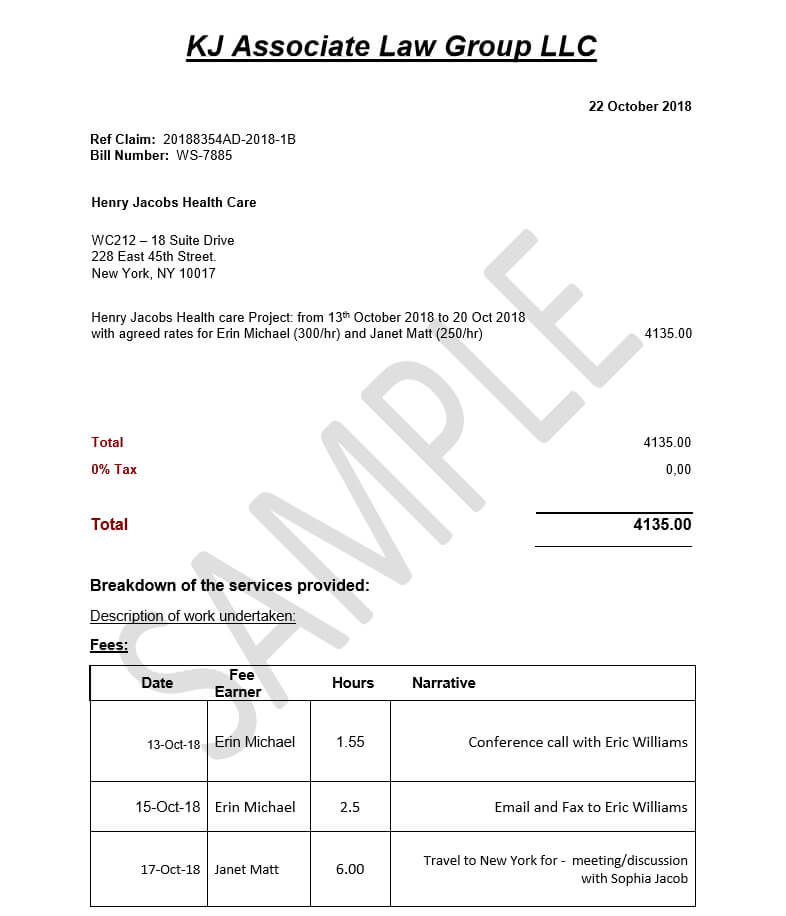
A time entry is both a record of work performed and the basis for a billing charge. The description needs to provide enough information for the client to understand the activity and its connection to the matter.
Descriptions such as “reviewed documents,” “worked on case,” or “legal research” may be too general. They do not identify what was reviewed, what research was performed, or why the activity was necessary. A better description identifies the activity and its purpose without adding unnecessary detail.
How to Prevent Vague Time Entries
Law firms can establish standards for acceptable time-entry descriptions and review entries before invoice generation. An AI time-entry cleansing tool can analyze descriptions and flag entries that appear vague, incomplete, or too generic for further review. The tool should flag the entry rather than invent missing information. The timekeeper remains responsible for providing the factual details of the work performed.
• Block Billing
Block billing occurs when several different activities are combined into a single time entry without allocating time to each activity. For example, an attorney may record 4.5 hours for reviewing discovery, researching case law, drafting a motion, and communicating with a client. Although the total time may be accurate, the client cannot determine how much time was spent on each activity. Many OCGs restrict or prohibit block billing because it makes individual charges difficult to evaluate.
How to Prevent Block Billing
Billing review can identify entries that contain multiple distinct activities. Where the client’s guidelines require separate entries, the timekeeper can divide the activities and record the appropriate time for each one. AI can assist by identifying multiple activities within the same description, but it should not automatically assign time to each activity without supporting information.
• Incorrect or Unapproved Billing Rates
Clients may approve specific billing rates for individual attorneys, paralegals, or other timekeepers. Rates can also differ by client, matter, role, or billing period. An invoice may therefore contain legitimate work but still be rejected because the rate applied to the time entry does not match the approved rate.
How to Prevent Rate Errors
The billing system should compare the rate on each time entry with the approved rate for the relevant client, matter, and timekeeper. Automated rate validation can identify discrepancies before the invoice is generated, allowing the billing team to correct them before submission.
• Non-Billable or Restricted Activities
OCGs often define activities that a client will not reimburse. These may include certain administrative, clerical, internal, or other restricted activities. The rules are client-specific. An activity that is billable for one client may not be billable for another.
How to Prevent Non-Billable Charges
Time entries should be checked against the billing rules applicable to the specific client and matter. AI can analyze the language of an entry and flag activities that may fall into restricted categories. The flag should trigger human review because the description alone may not provide enough information to determine whether the work is actually billable.
• Incorrect Matter, Task, or Activity Codes
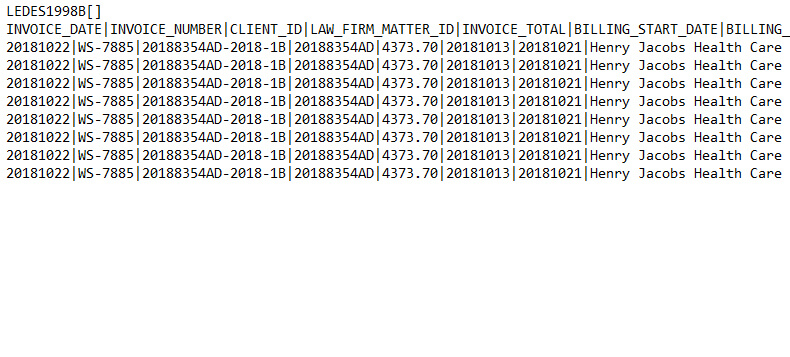
Electronic legal invoices contain structured billing data in addition to narrative descriptions. This may include matter numbers, client identifiers, timekeeper IDs, task codes, activity codes, dates, hours, and rates. An incorrect or missing value can cause an invoice to fail validation even when the underlying legal work is valid.
How to Prevent Coding Errors
Required fields and codes should be validated against the client’s billing configuration before invoice generation. The system should verify that the matter is valid, required fields are populated, and task and activity codes are permitted for that client and matter.
• Work Requiring Prior Approval
Some clients require prior approval for certain types of work or expenses. Requirements may apply to additional timekeepers, experts, vendors, travel, litigation support, or work exceeding an agreed limit. The work may be legitimate but still non-compliant if the required approval was not obtained.
How to Prevent Unauthorized Charges
Approval requirements should be associated with the relevant client or matter. Before submission, the billing process should check whether required authorization has been recorded. This prevents the firm from discovering an approval problem only after the invoice has been rejected.
• Duplicate or Excessive Charges
Duplicate charges can result from repeated time entries, data-entry errors, or overlapping records. Clients may also question unusually high amounts of time or staffing for a particular activity. These issues do not automatically mean that a charge is incorrect. Similar entries can represent legitimate work performed by different timekeepers.
How to Prevent Duplicate and Excessive Charges
Automated invoice review can compare records using fields such as client, matter, date, timekeeper, activity, duration, and description. Potential duplicates or unusual entries can then be flagged for human review instead of being automatically removed.
• Missed Billing Deadlines
Clients may establish specific deadlines for invoice submission. These deadlines can be based on billing periods, invoice dates, or client-specific requirements. Missing a deadline can delay processing or result in rejection.
How to Prevent Deadline-Related Rejections
Client and matter-level submission deadlines should be recorded in the billing system. Automated alerts can identify invoices approaching their deadline and give billing teams time to resolve outstanding issues.
• LEDES and Electronic Billing Errors
Some invoices are rejected because of technical problems in the electronic billing data rather than problems with the legal charges. LEDES and other e-billing formats use structured fields and validation rules. Missing fields, invalid codes, incorrect matter information, formatting errors, or calculation discrepancies can prevent an invoice from being accepted.
How to Prevent Electronic Billing Errors
Invoices should undergo technical validation before submission. This should include checking required fields, billing codes, matter information, calculations, file structure, and other requirements of the client’s e-billing platform. An invoice therefore needs to pass two types of checks: billing compliance and technical validation.
• Outside Counsel Guideline Violations
OCGs define the billing rules that a client expects outside counsel to follow. They may cover rates, time-entry descriptions, block billing, staffing, expenses, approvals, invoice formats, and submission deadlines. The challenge is that these rules differ between clients. A requirement accepted by one client may result in rejection by another.
How to Prevent OCG-Related Rejections
The applicable OCG requirements should be linked to the relevant client and matter. OCG compliance software can convert these requirements into structured rules and apply them to billing data before submission.
AI can also assist with extracting requirements from OCG documents and identifying non-compliant billing records. Human review remains important for exceptions because automated systems cannot always determine the full context behind a legal billing entry.
• Preventing Invoice Rejections Before Submission
Invoice compliance works best when validation happens throughout the billing cycle rather than only after the invoice has been submitted. Time entries can be reviewed for clarity and block billing.
Rates can be checked against approved values. Matter and activity codes can be validated. Approval requirements and billing deadlines can be tracked. Completed invoices can then undergo a final technical validation before electronic submission. This approach changes billing review from post-submission correction to pre-submission validation. The goal is to identify billing and compliance problems while they are still within the firm’s control, correct them before submission, and reduce avoidable invoice rejections that can delay payment.

.png)