How to Prepare LEDES-Compliant Legal Invoices
Legal Electronic Data Exchange Standard (LEDES) is a universal, machine-readable invoicing format that allows law firms to submit legal invoices to corporate clients, insurance carriers, and other organizations consistently. Every major e-billing platform can parse and process these files automatically.
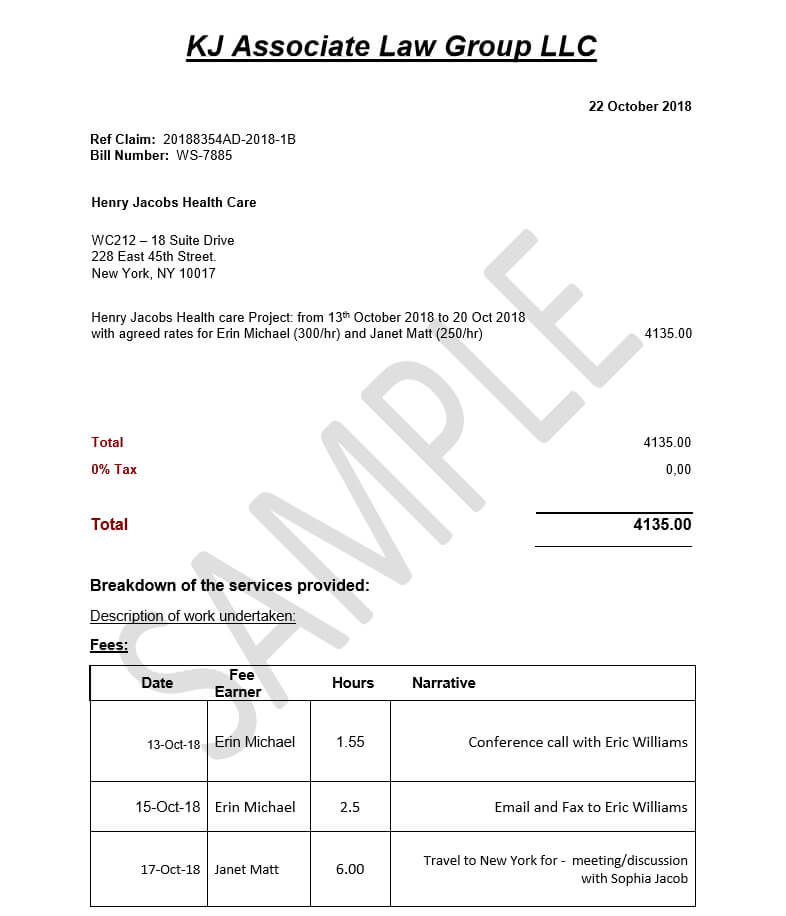
Before LEDES, each client required invoices in a proprietary format. Law firms spent hours manually reformatting invoices for each client, often leading to billing inconsistencies, rejections, and delays. LEDES addressed this problem by standardizing invoices as structured text or XML files, where each field, including date, timekeeper, task code, activity code, hours, and billing rate, occupies a fixed, predictable position.
Today, over 80% of Fortune 500 companies require outside counsel to submit invoices in LEDES format. Understanding how to create fully compliant LEDES invoices is therefore indispensable for law firms serving corporate or insurance clients.
Types of LEDES Formats
There are four primary LEDES formats. The format you choose depends on client specifications, currency requirements, matter complexity, and e-billing platform capabilities.
| Format | Best For | File Type | Usage |
| LEDES 1998B | Standard corporate billing | .txt (pipe-delimited) | Most widely used |
| LEDES 1998BI | International billing (non-US currency) | .txt (pipe-delimited) | Active |
| LEDES 2000 | XML-structured billing | .xml | Active |
| LEDES XML | Complex enterprise matters | .xml | Enterprise |
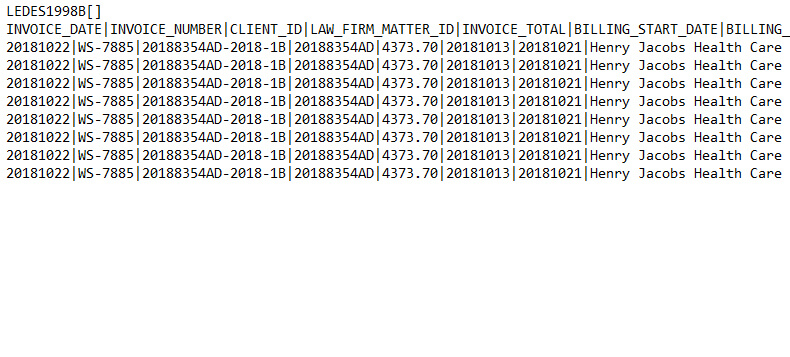
Technical Tip: LEDES 1998B is a pipe-delimited text file. Each row represents a line item, either a time entry or an expense entry, and each column is separated by the | character. Missing, misaligned, or incorrectly formatted fields can result in automatic rejection of the invoice.
Step-by-Step: How to Prepare a LEDES Invoice
The following are the step-by-step process on how to prepare a LEDES invoice:
1. Confirm the Required Format with Your Client
Ask the client which LEDES version they need (usually 1998B) and request their billing guidelines document. Many large clients have specific rules about approved task codes, description requirements, and pre-approved billing rates.
2. Ensure All Time Entries Are Complete and Coded
Review every time entry for the billing period. Each entry must have a valid UTBMS task code, activity code, timekeeper ID, date, hours, and rate. Entries missing any of these fields cannot be included in a LEDES file.
3. Apply Correct Expense Codes (E-Codes)
For expenses, copies, filing fees, travel, research, use the appropriate UTBMS E-code. E101 covers copying, E106 covers online research fees, and E110 covers out-of-town travel. Expenses submitted without E-codes will be automatically rejected.
4. Generate the LEDES File Using Your Billing Software
Most modern legal billing platforms have a built-in LEDES export. Go to your invoicing module, select the matter, choose LEDES 1998B as the export format, and generate the file.
5. Validate the File Before Submitting
Run the file through a LEDES validator tool, many are available free online or built into billing software. This catches structural errors, missing fields, math discrepancies, and invalid codes before the client ever sees the invoice.
6. Submit Through the Client's E-Billing Portal
Upload the validated file to the client's e-billing platform. Always save your submission confirmation. That receipt is your proof of timely delivery if a payment dispute ever arises.
7. Monitor for Rejections and Respond Quickly
E-billing platforms process invoices in batches. Check the portal within 48-72 hours for rejection notices. Common reasons include rate violations, unapproved timekeepers, or exceeded budget thresholds. Fix the issue and resubmit promptly.
By following these steps and applying technical best practices, law firms can significantly reduce rejected invoices, accelerate payment cycles, and maintain compliance with corporate and insurance clients. LEDES compliance is a strategic tool to streamline legal billing operations, enhance data accuracy, and maintain client confidence.

.png)